Course Content
Module 1: Hosting Basics and Categories: The Foundation of Your Website
To introduce core web hosting categories, explain how hosting infrastructure fundamentally supports websites, and clarify essential terminology.
0/4
Module 2: CMS-Specific Hosting Needs: Matching Infrastructure to Platform
To analyze precisely how different Content Management Systems (CMS) interact with and are impacted by various hosting environments, emphasizing platform-specific demands.
0/4
Module 3: Choosing What’s Right for You: The Decision Framework
To empower learners with a structured framework for evaluating and confidently selecting the most suitable hosting option for their CMS, business size, and growth trajectory.
0/4
Web Hosting Essentials: How to Pick the Best Fit for Your Site

Essential Hosting Features Explained

Choosing a hosting type is only the first step. Learn how bandwidth, NVMe storage, and built-in security layers dictate your website’s real-world reliability.
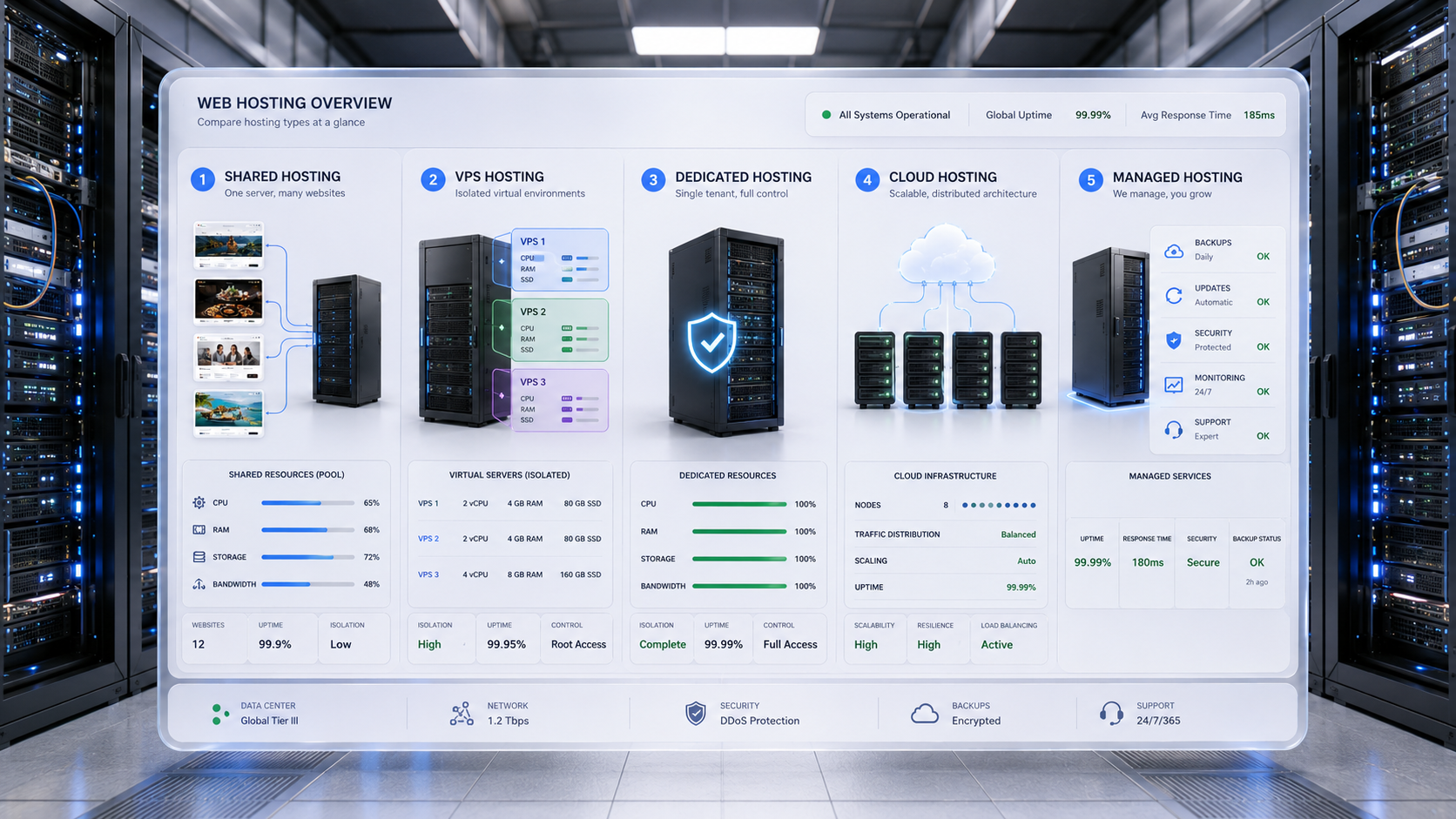

A detailed digital dashboard overlaid in a realistic data center, displaying a side-by-side comparison of Shared, VPS, Dedicated, Cloud, and Managed hosting types with specific server diagrams, resource allocations, and uptime metrics.
A side-by-side technical breakdown of the five core hosting environments, highlighting how resources, control, and scalability differ across each tier.

Overview

Choosing the right hosting type is only half the equation. The real performance, reliability, and security of your website depend on the features your hosting provider delivers. This lesson breaks down the essential hosting features that directly impact uptime, speed, resilience, and support.


A digital dashboard in a bright data center illustrating the difference between Bandwidth and Data Transfer. The left panel shows bandwidth as a glowing blue pipe demonstrating maximum data capacity and traffic bottlenecks. The right panel tracks total data transfer volume over a 30-day period.
Bandwidth dictates how much data can flow concurrently during a traffic spike, whereas data transfer measures the total volume of data consumed over your billing cycle.

1. Bandwidth & Data Transfer

Definition: Bandwidth is the maximum amount of data your site can transmit to visitors over a given period.

  • Why It Matters: Low bandwidth limits can throttle performance during traffic spikes.
  • 2025 Insight: “Unlimited” bandwidth often comes with fair-use caps—read the fine print.
  • Best Practice: Choose scalable bandwidth or burstable plans if expecting growth or seasonal traffic.

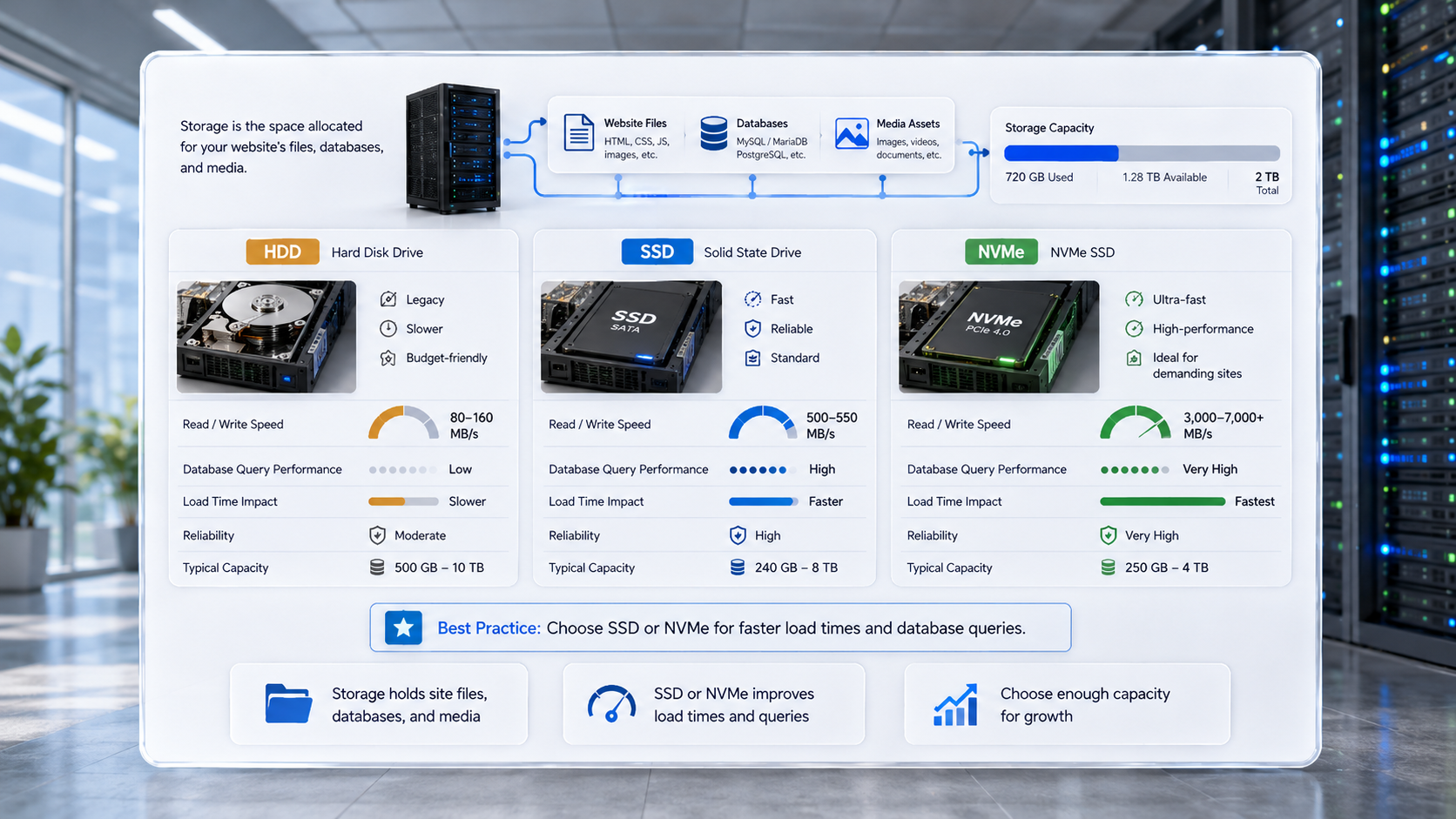
A detailed digital dashboard in a modern data center comparing HDD, SSD, and NVMe server storage types side-by-side, highlighting the significant read and write speed advantages of SSD and NVMe drives over legacy HDDs.
Upgrading from legacy HDD to SSD or NVMe storage drastically improves database query performance and overall website load times.

2. Storage Type & Capacity

Definition: Storage refers to the space allocated for your site’s files, databases, and media.

HDD vs SSD vs NVMe:

  • HDD: Legacy, slow, cost-effective
  • SSD: Fast, reliable, now standard
  • NVMe: Ultra-fast, ideal for high-performance sites

Best Practice: Opt for SSD or NVMe storage for faster load times and database queries.


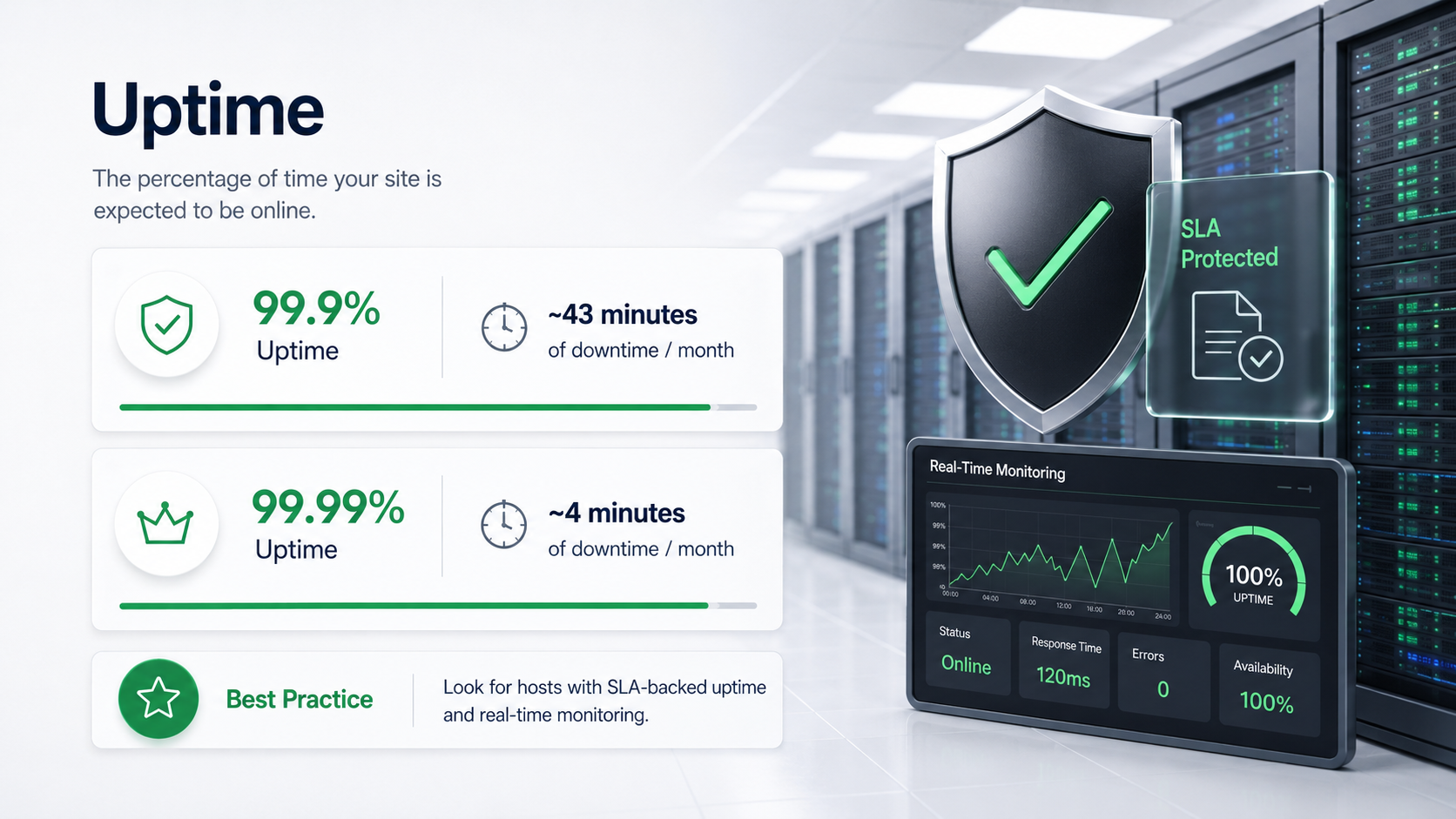
Uptime comparison showing 99.9% and 99.99% hosting availability, monthly downtime estimates, SLA protection, and real-time server monitoring.
A visual explanation of hosting uptime, comparing 99.9% and 99.99% availability with monthly downtime estimates and real-time monitoring.

3. Uptime Guarantee

Definition: The percentage of time your site is expected to be online.

  • Industry Standard: 99.9% uptime = ~43 minutes of downtime/month
  • Premium Hosting: 99.99% uptime = ~4 minutes/month
  • Best Practice: Look for hosts with SLA-backed uptime and real-time monitoring.

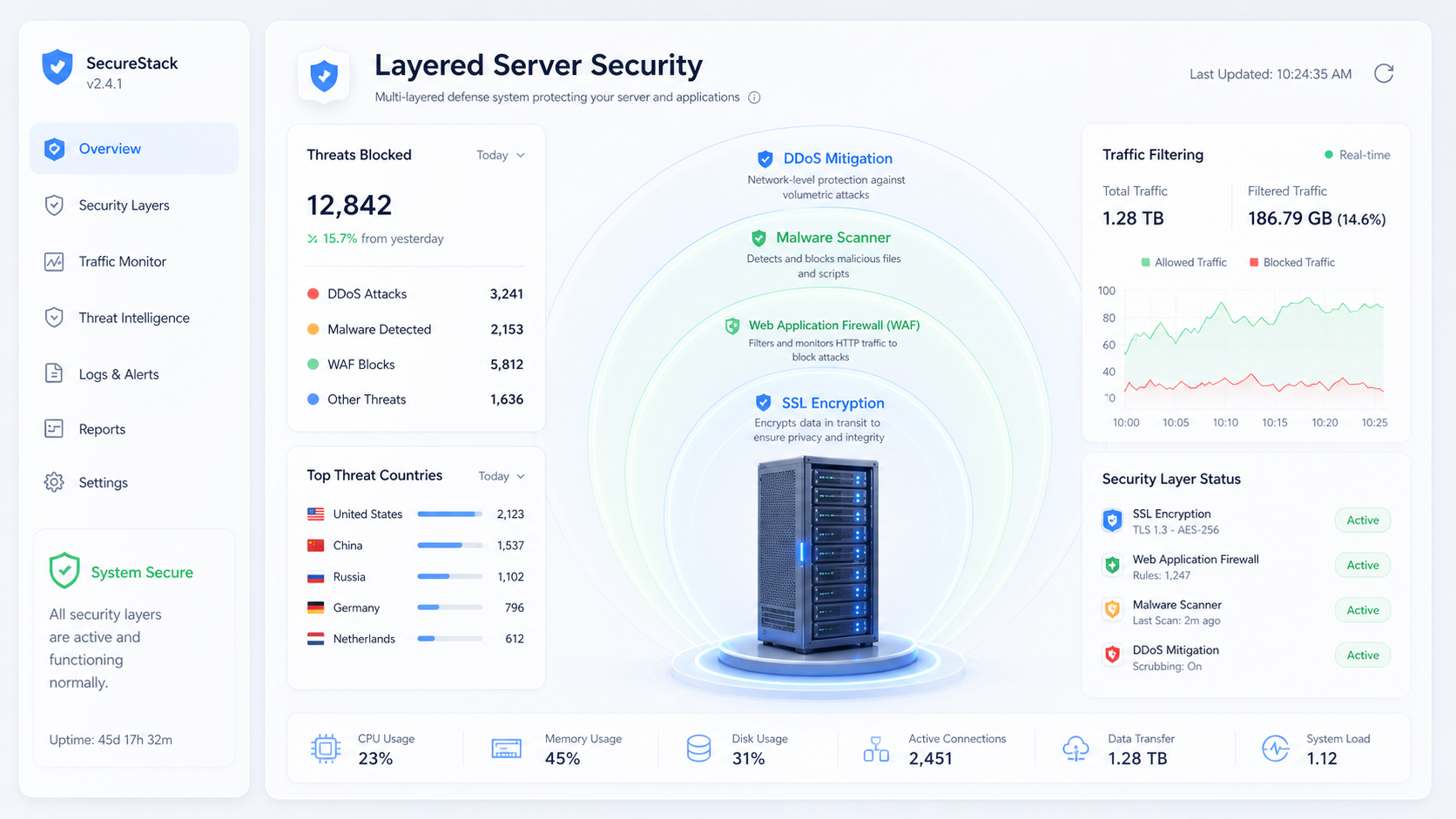
: A bright, frosted white glass presentation board in a modern data center showing a central 3D server rack protected by four concentric security rings labeled SSL Encryption, Web Application Firewall, Malware Scanner, and DDoS Mitigation, alongside a green System Secure badge.
True security requires proactive layers of defense—including SSL, web application firewalls, malware scanning, and DDoS mitigation—to block exploits before they reach your server.

4. Security Features

Must-Haves:

  • SSL Certificates: Encrypt data in transit
  • Firewalls: Block malicious traffic
  • Malware Scanning & Removal: Detect and clean infections
  • DDoS Protection: Mitigate traffic floods

2025 Insight: Many hosts now bundle Web Application Firewalls (WAFs) and offer DNSSEC support—critical for domain integrity.


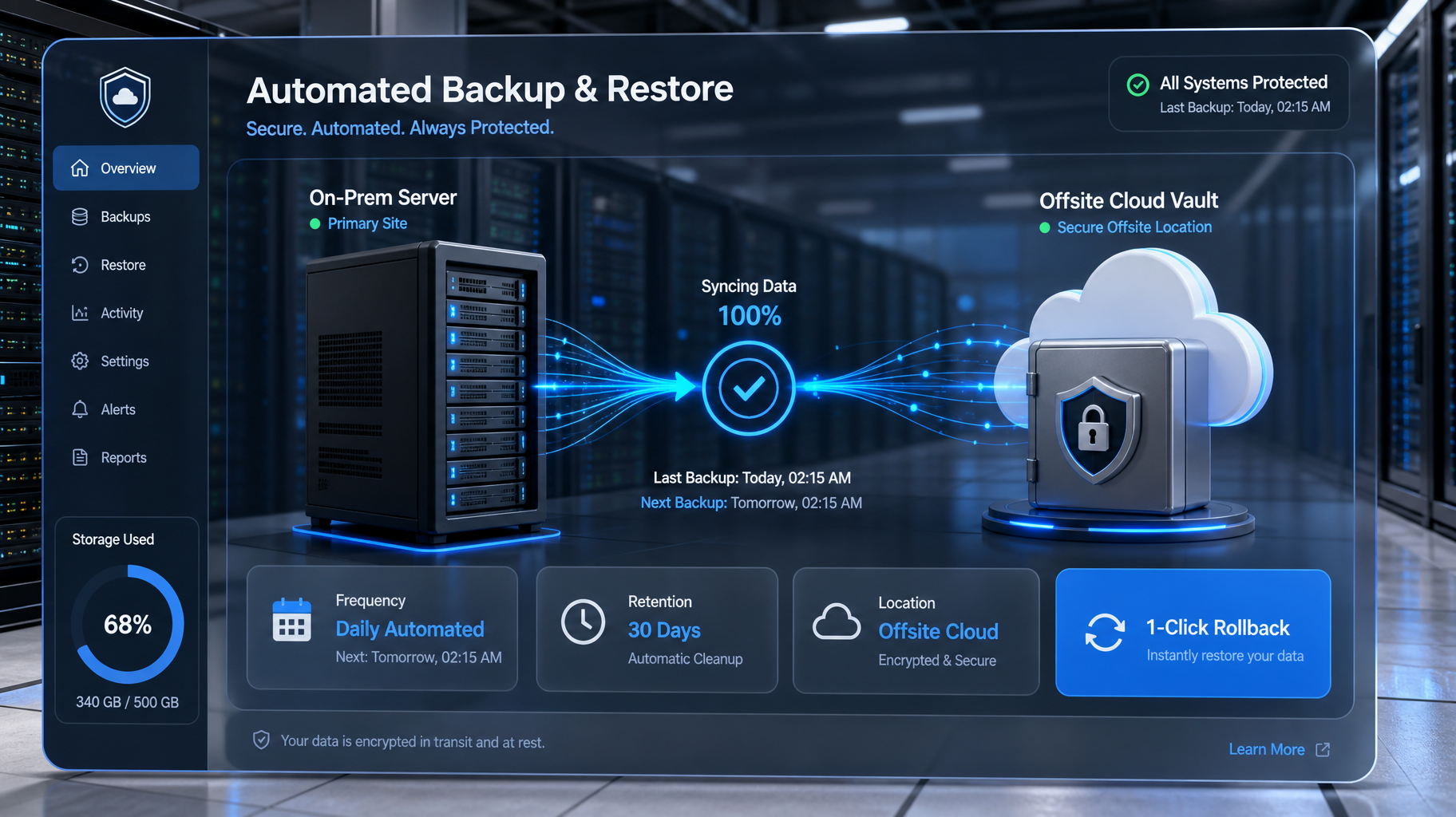
A data center dashboard visualizing an automated backup process, showing data syncing from a server to an offsite cloud vault, with metrics for daily frequency, 30-day retention, and 1-click restore.
Automated daily snapshots stored in an offsite location are your ultimate insurance policy against data loss.

5. Backup & Restore Options

Definition: Automated snapshots of your site’s data and configuration.

  • Frequency: Daily, weekly, or real-time
  • Location: On-server vs offsite/cloud backups
  • Restore: One-click rollback or manual recovery

Best Practice: Choose hosts with offsite backups and retention policies of at least 7–30 days.


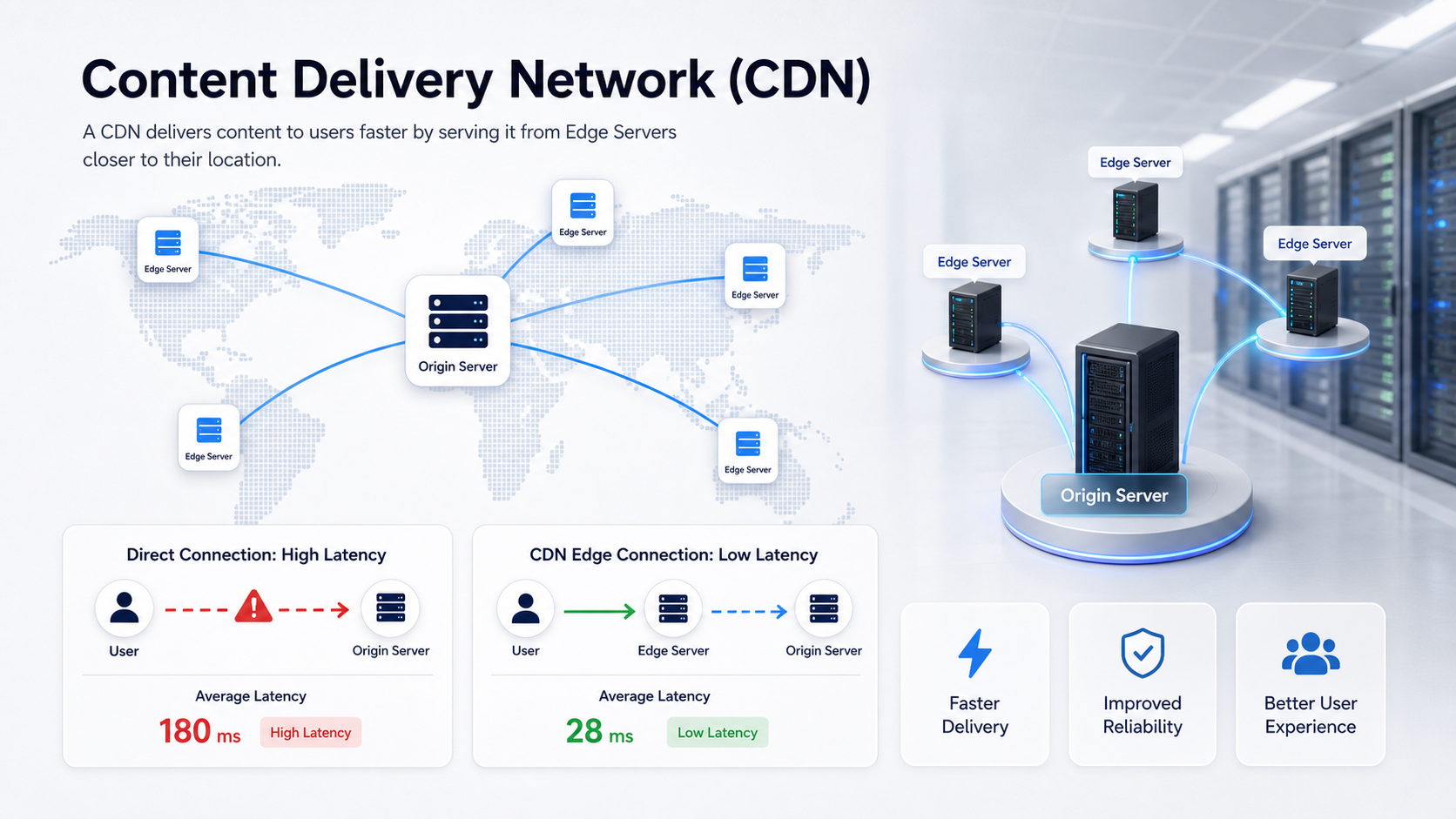
A digital dashboard displaying a world map that illustrates CDN routing. Glowing lines connect a central origin server to global edge servers, demonstrating how latency is reduced for international visitors.
A CDN dramatically accelerates load times for international audiences by distributing your static content across globally positioned edge servers.

6. Content Delivery Network (CDN)

Definition: A CDN distributes your site’s content across global edge servers.

Benefits:

  • Faster load times for international users
  • Reduced server load
  • Improved resilience against traffic spikes

2025 Insight: Most modern hosts integrate with Cloudflare, Akamai, or proprietary CDNs.


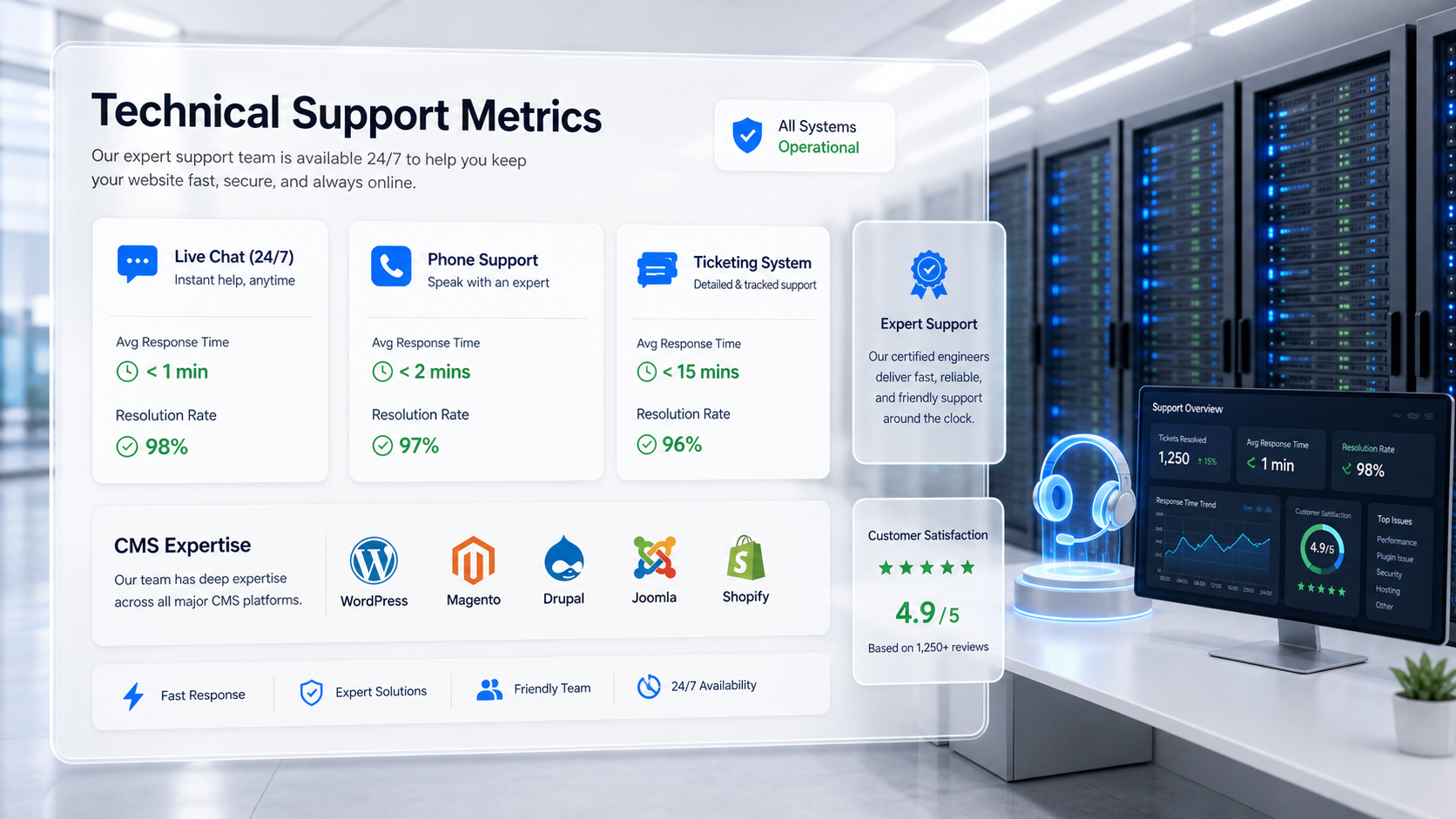
A data center dashboard displaying technical support metrics, showing 24/7 availability across live chat, phone, and ticketing, along with rapid response time stats and CMS expertise badges.
Responsive, platform-expert support is your non-negotiable safety net when critical infrastructure issues arise.

7. Support & Responsiveness

Definition: Access to technical help when issues arise.

  • Channels: Live chat, phone, ticketing
  • Availability: 24/7 is now standard
  • Expertise: Look for CMS-specific support (e.g., WordPress, Magento)

Best Practice: Test response times before committing—support is your safety net.

Visual Summary

Feature Why It Matters 2025 Standard
Bandwidth Handles traffic volume Scalable or burstable plans
Storage Affects speed and reliability SSD or NVMe preferred
Uptime Impacts availability and SEO ≥99.9% with SLA
Security Protects site and users SSL, WAF, malware removal
Backups Enables recovery from failure Offsite, daily minimum
CDN Speeds up global delivery Integrated or optional
Support Resolves issues quickly 24/7, multi-channel, CMS-aware

Key Takeaways

  • Hosting features directly affect performance, security, and resilience.
  • Prioritize bandwidth, SSD/NVMe storage, uptime SLAs, and robust security.
  • Backups and CDN integration are essential for continuity and speed.
  • Responsive support is non-negotiable—test it before you need it.
Exercise Files
Lesson 1.2 Checklist.docx
Size: 6.75 KB