
Lesson 3.2 – Use Cases & Migration Tips
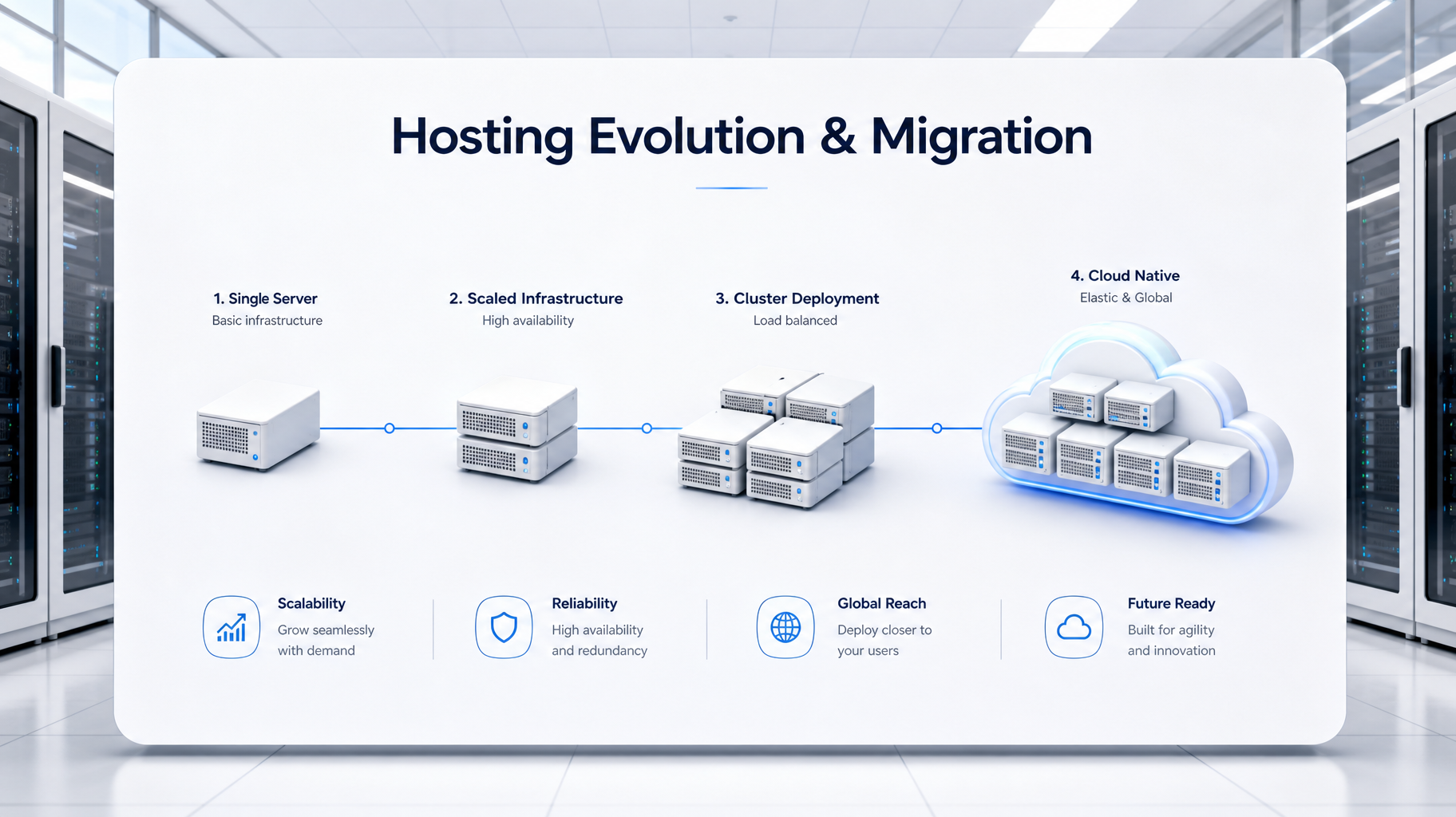
A bright white presentation board in a data center illustrating hosting evolution, showing a 3D timeline of a single server expanding into a complex cloud cluster.
Hosting infrastructure is not static; it must continuously evolve and scale to meet the growing traffic and resource demands of your website.

Overview

Hosting isn’t static—it evolves with your site. This lesson explores practical use cases for each hosting type and provides a step-by-step migration checklist to ensure smooth transitions when upgrading infrastructure.


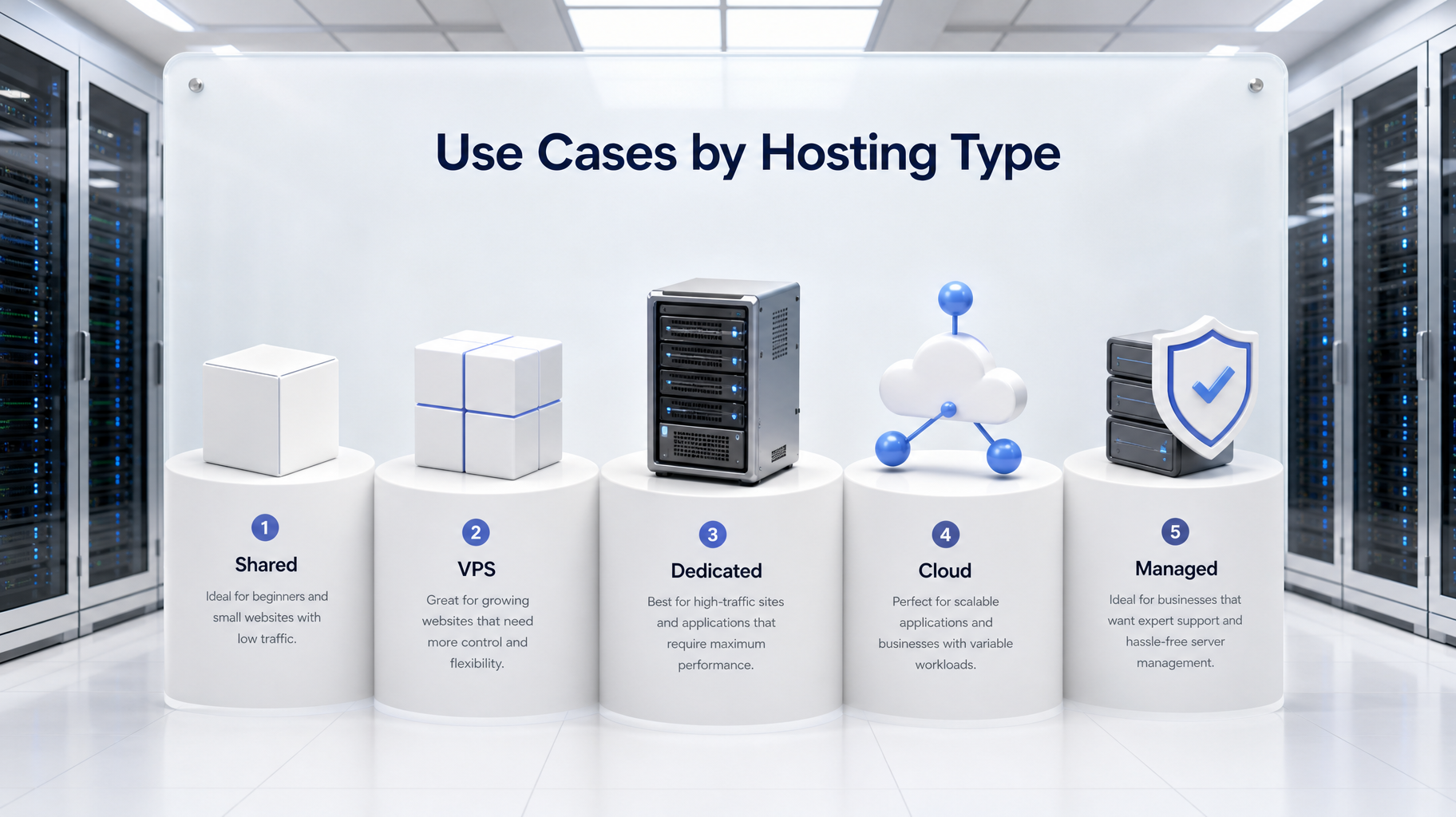
A pristine white presentation board displaying five UI pedestals with 3D icons representing shared, VPS, dedicated, cloud, and managed hosting use cases.
Aligning your specific business profile—from a low-traffic blog to an enterprise eCommerce platform—with the correct hosting environment is crucial for optimal performance.

Use Cases by Hosting Type

Shared Hosting

  • Use Case: Personal blog, student portfolio, or informational microsite
  • Why: Cost-effective, easy to set up, sufficient for low traffic
  • Limitations: Limited performance, security, and scalability

VPS Hosting

  • Use Case: Small business website, growing eCommerce store
  • Why: Dedicated resources, better uptime, scalable RAM/CPU
  • Limitations: Requires moderate technical skill

Dedicated Hosting

  • Use Case: Enterprise site, high-volume eCommerce, compliance-heavy platforms
  • Why: Full control, maximum performance, strong isolation
  • Limitations: High cost, manual scaling, technical overhead

Cloud Hosting

  • Use Case: Startup expecting rapid growth, global content platform
  • Why: Instant scalability, redundancy, pay-as-you-go flexibility
  • Limitations: Cost spikes during traffic surges, complex orchestration

Managed Hosting

  • Use Case: Agencies, freelancers, or teams without server expertise
  • Why: Provider handles updates, backups, security, and monitoring
  • Limitations: Less control over server-level configurations

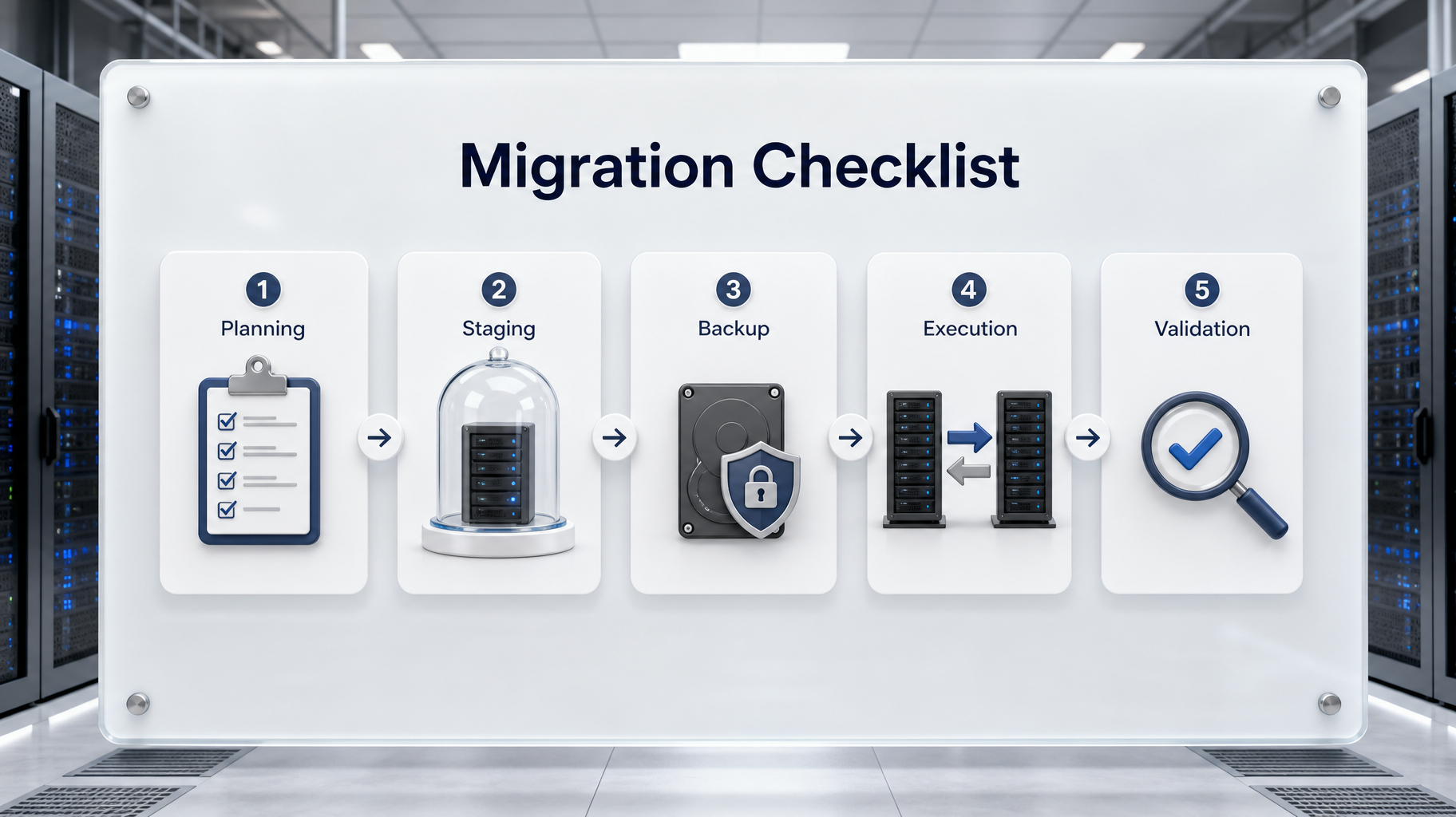
A white frosted glass board illustrating a server migration checklist, featuring a 3D pathway connecting UI cards for planning, staging, backup, execution, and validation.
A strictly defined migration checklist—prioritizing staging environments and verified backups—guarantees a zero-downtime transition to your new server infrastructure.

Migration Tips & Checklist

1. Identify the Right Time to Migrate

  • Frequent downtime or slow performance
  • Outgrowing current resource limits
  • Security incidents or lack of support
  • Upcoming traffic surge or feature rollout

2. Pre-Migration Planning

  • Document current DNS records, SSL certificates, database settings, and email configurations
  • Audit plugins, themes, and CMS versions for compatibility
  • Choose a migration window during off-peak hours

3. Use a Staging Environment

  • Deploy the site on the new host in a non-public staging area
  • Test functionality: forms, logins, checkout, integrations
  • Resolve errors before going live

4. Backup Everything

  • Full backup of files, databases, and configurations
  • Store backups locally and offsite
  • Validate backup integrity before proceeding

5. Execute the Migration

  • Use migration tools or manual transfer (e.g., FTP + phpMyAdmin)
  • Update DNS records with minimal TTL for faster propagation
  • Monitor logs and performance during cutover

6. Post-Migration Validation

  • Confirm SSL, CDN, caching, and email services are functioning
  • Run speed tests and security scans
  • Monitor uptime and error logs for 72 hours

Visual Summary

Migration Phase Key Actions
Planning Audit settings, schedule downtime
Staging Deploy and test on new host
Backup Create and verify full backups
Execution Transfer files, update DNS, monitor cutover
Validation Test functionality, monitor performance

Key Takeaways

  • Hosting needs evolve—migration is a strategic upgrade, not a failure
  • Use cases clarify when to shift from shared to VPS, cloud, or managed environments
  • A structured migration plan reduces downtime and preserves SEO, security, and user experience
  • Staging, backups, and post-migration monitoring are non-negotiable for success
Exercise Files
Lesson 3.2 Checklist (docx)
6.75 KB