
What is an SSL?
Learn how SSL/TLS protects data in transit, authenticates websites, and enables secure connections via HTTPS.

SSL/TLS Fundamentals
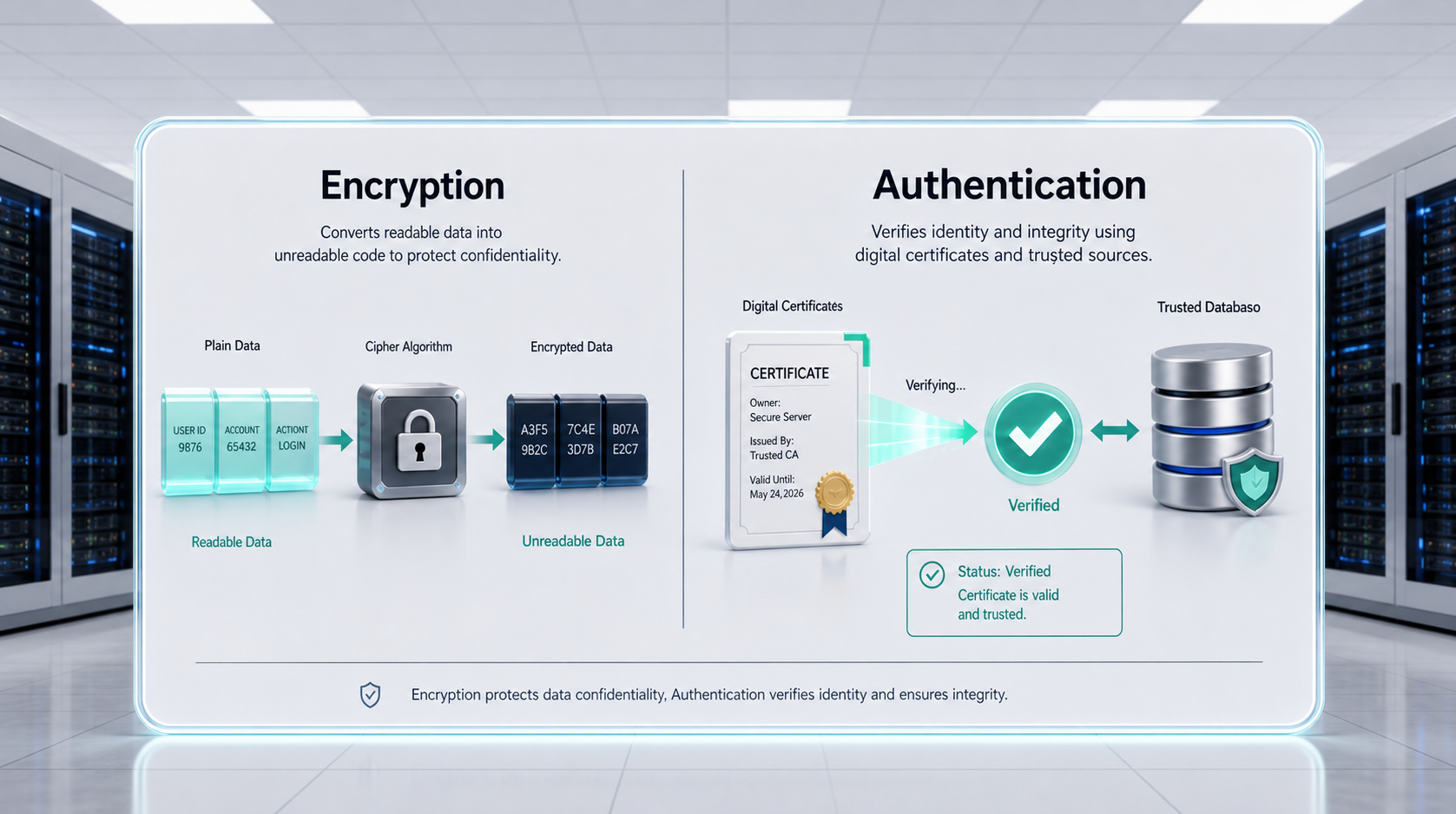
SSL and TLS are cryptographic protocols designed to secure communication between a client (typically a browser) and a server. While SSL is still commonly referenced, TLS is the modern standard. The protocol provides two essential functions:
- ✓Encryption: Ensures that data transmitted between client and server cannot be read by third parties.
- ✓Authentication: Verifies that the server presenting the certificate is the legitimate owner of the domain.
This combination protects sensitive information such as login credentials, payment data, and personal details from interception or tampering.
How SSL/TLS Works
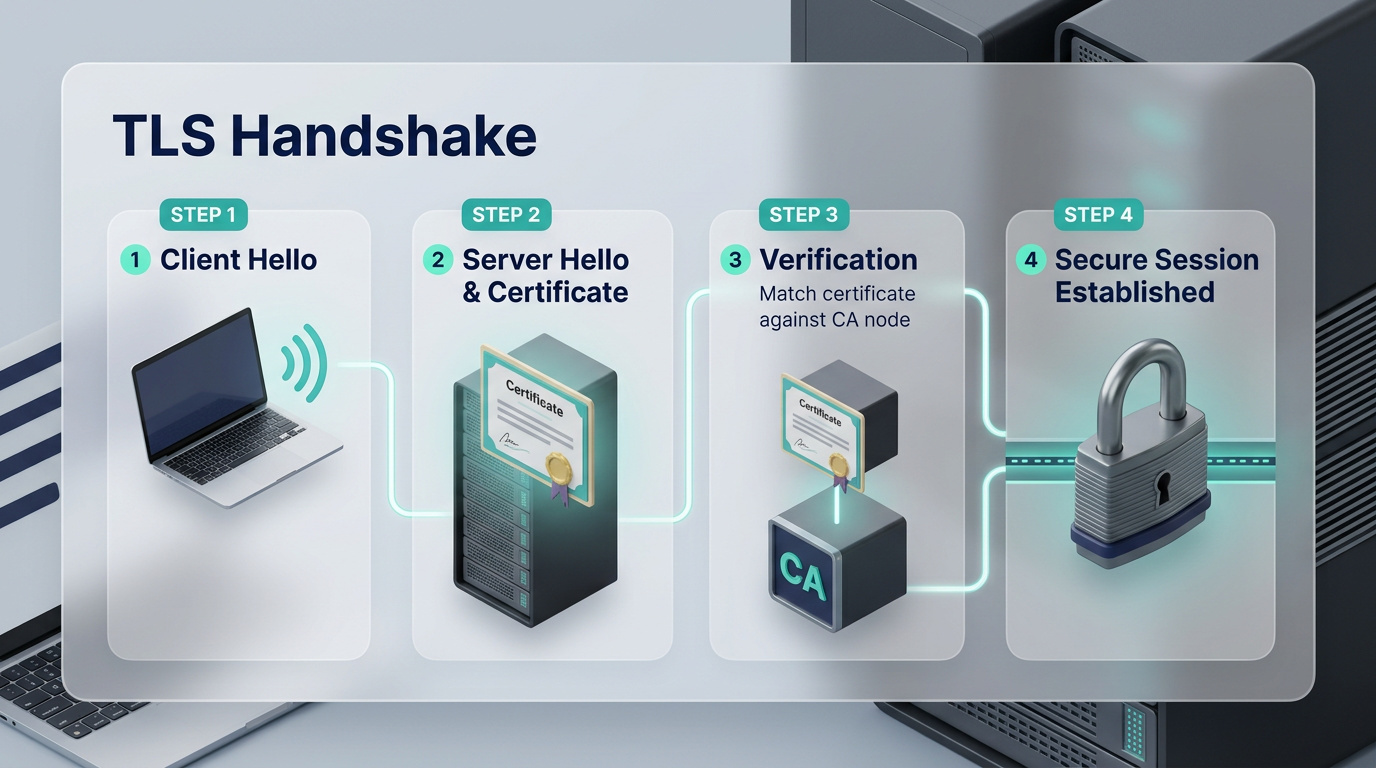
When a user visits a website using HTTPS, the browser and server perform a handshake to establish a secure session. The process includes:
- The browser requests a secure connection.
- The server presents its SSL/TLS certificate.
- The browser checks the certificate against trusted Certificate Authorities (CAs).
- If valid, both parties negotiate encryption parameters and establish a secure session.
This handshake occurs before any content is loaded and is invisible to the user, though its success is indicated by browser trust signals.
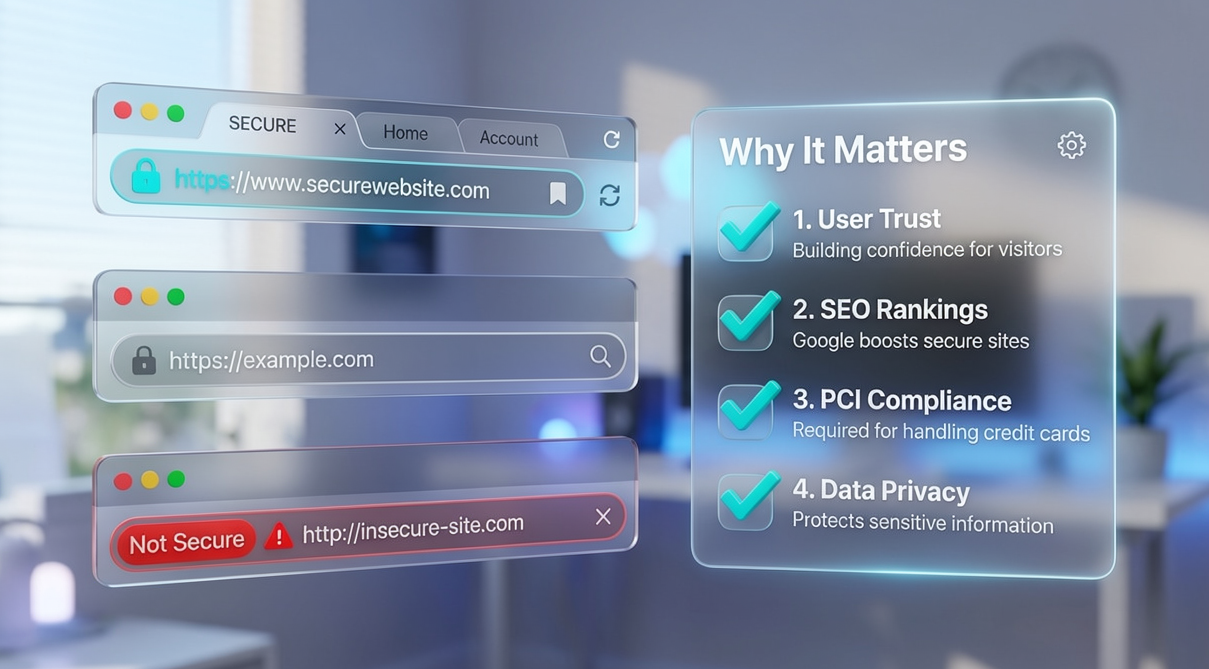
Browser Trust Indicators
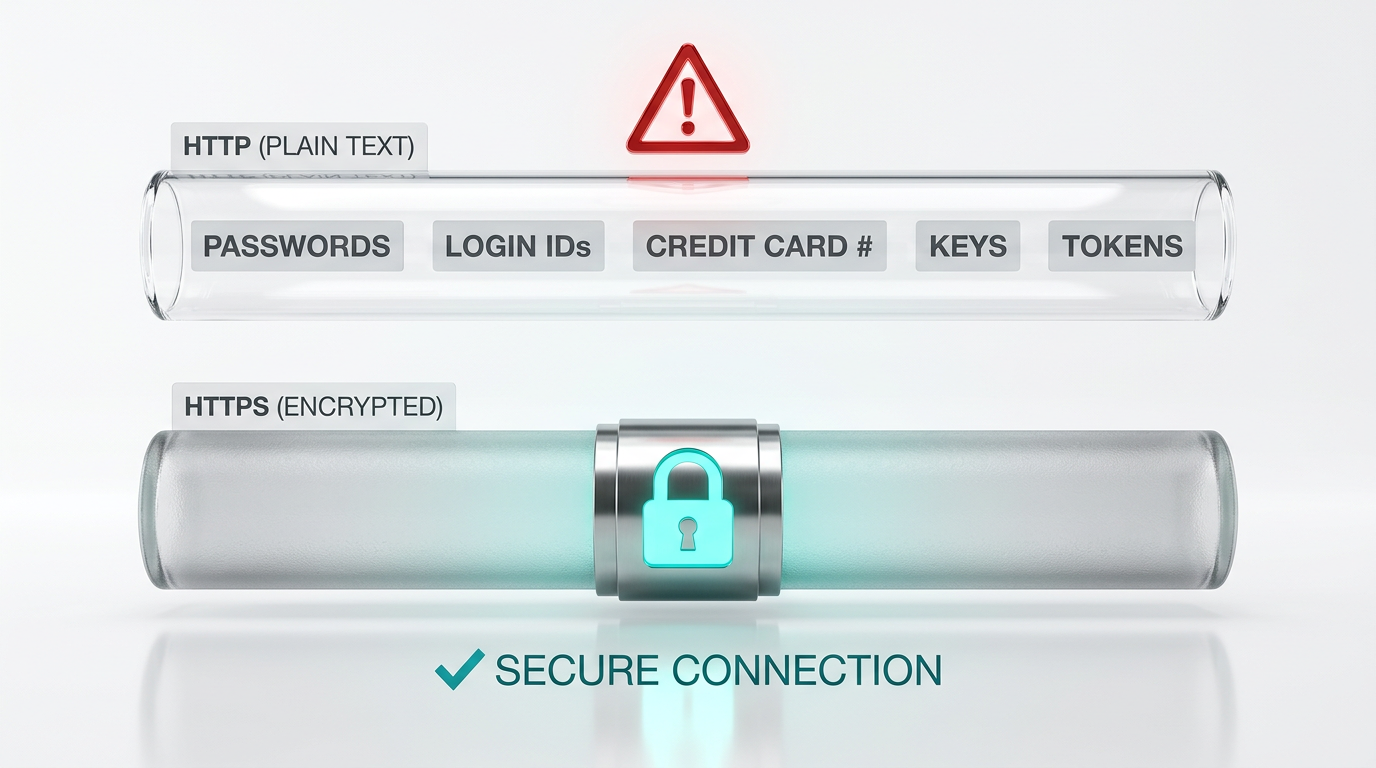
Properly installed SSL/TLS certificates trigger visual trust signals in browsers:
- ✓Padlock icon next to the URL
- ✓HTTPS prefix in the address bar
- ✓Certificate details accessible via browser UI
- ✓For some certificate types (e.g., EV), verified organization information may be displayed
If the certificate is invalid or expired, browsers will warn users and may prevent access entirely.

Why SSL/TLS Matters
Without SSL/TLS, websites expose users to risk. Data entered into forms can be intercepted, and users may lose trust in the site. Additionally:
- Search engines prioritize HTTPS in rankings
- Compliance standards such as PCI DSS require SSL/TLS for handling payment data
- Browsers increasingly enforce HTTPS as the default and penalize insecure sites
SSL/TLS is no longer optional—it is a baseline requirement for any modern website.
Key Takeaways
-
•SSL/TLS secures data in transit and verifies website identity
-
•HTTPS is the secure version of HTTP, enabled by SSL/TLS
-
•Browser indicators show whether a site is secure or not
-
•Lack of SSL/TLS leads to trust warnings, SEO penalties, and compliance failures
-
•Every website should implement and maintain SSL/TLS correctly